









How to
With SMS switched on you can text customers from Jobs, Quotes and Invoices, and have Ascora send booking reminders for you.
This article is for Administrators and office staff.
Switch SMS on
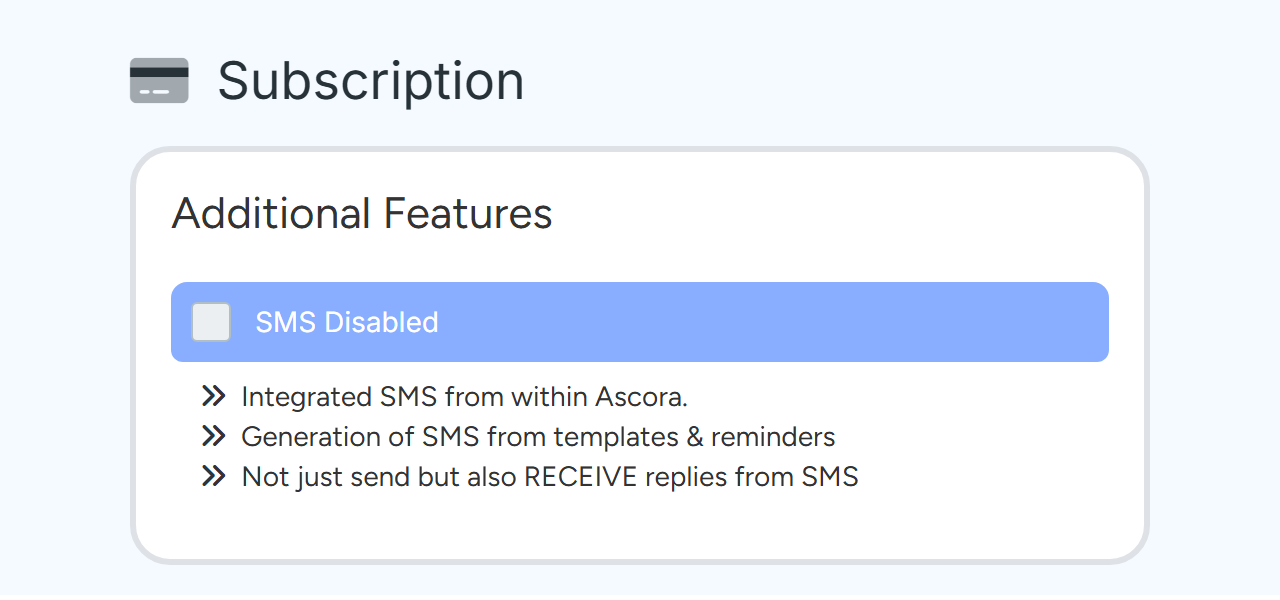
Go to Administration > Subscription.
You need the permission to access Ascora billing details.
In Additional Features, tick the box beside SMS Disabled.
Tick the box to switch SMS on. Sample data. Read the Activate Text Messaging window and select Activate SMS.
SMS works straight away. Nothing is charged at activation. Turning SMS on also enforces Two-Factor Authentication for your users.
Note
If the card says to contact Ascora, or that SMS is not available on the account yet, the account is on trial or very new. Contact Ascora Support. Accounts in the United States must also choose and register a dedicated texting number under Administration > Integrations & API > Text Messaging and wait for carrier approval before any SMS can be sent.
Set up booking reminders
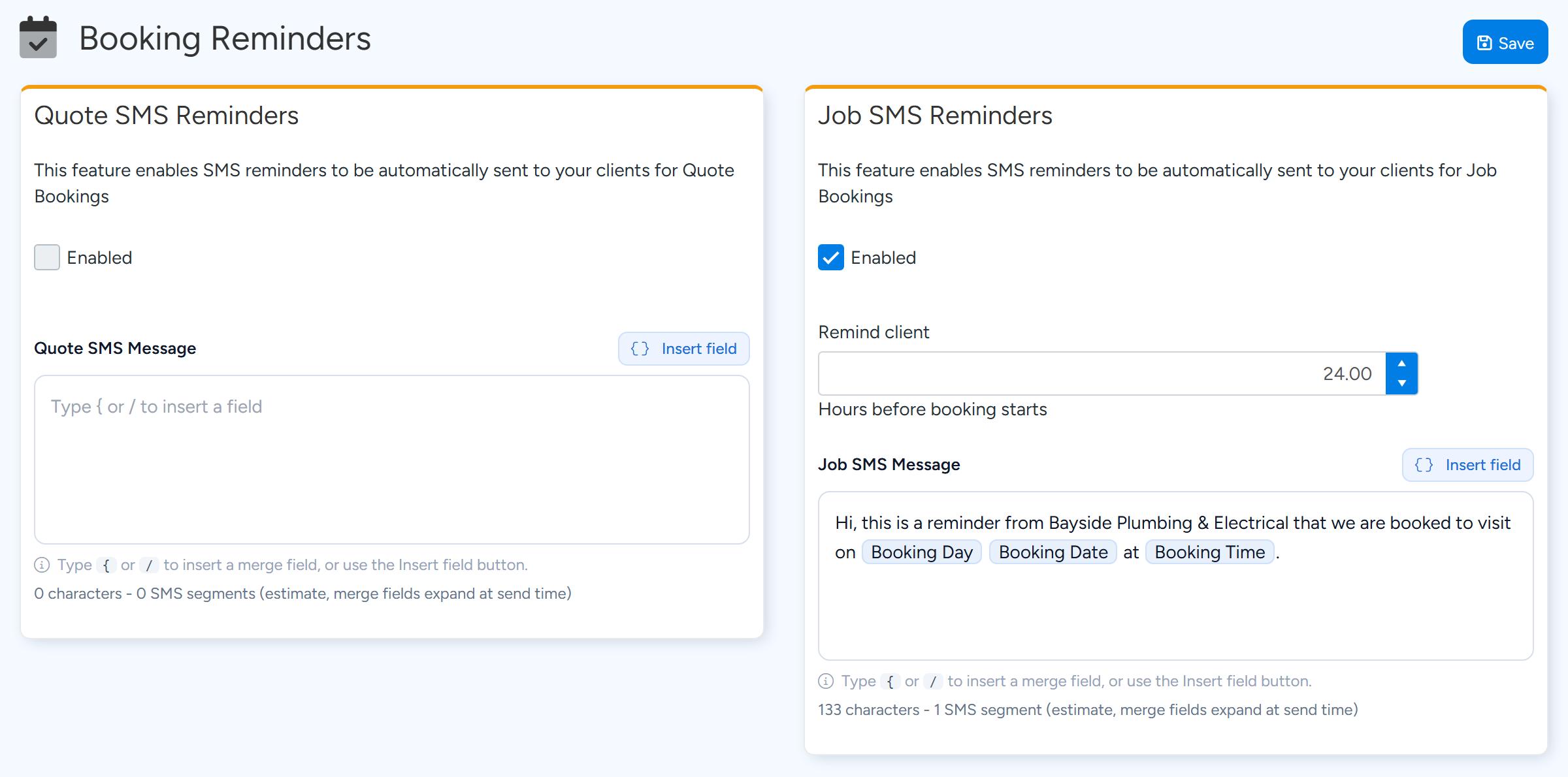
Go to Administration > Automation > Booking Reminders.
Under Job SMS Reminders, tick Enabled.
Quote SMS Reminders works the same way for Quote bookings.
Set Remind client to the number of hours before the booking starts.
For a reminder the day before, enter 24. Left blank, it is treated as 2 hours.
Write the message, using Insert field for the booking day, date and time.
Tick Enabled, set the hours, and write the message. Sample data. Select Save.
Why a reminder was not sent
- It fell outside sending hours. Reminder texts are sent only between 8:00 am and 8:00 pm in your company's time zone. A reminder due outside those hours is sent when the window next opens, provided the booking has not started. A booking that starts before 8:00 am can miss its reminder, so set more hours for early starts.
- The customer has no mobile number. The site contact's mobile is used first, then the customer's.
- The customer is ticked Exclude from Booking Reminders.
- The Job already had a reminder that day for another booking.
- The booking was made after the reminder time had passed, or the booking has already started.
- The reminder is not Enabled, or its message is empty.
- For Quotes, the Quote must be In Progress or Sent To Client.
Tip
The same screen has options to send the reminder again after a booking is rescheduled: always, only when the date changes, or when the time moves by a number of hours you choose.
Other automatic texts and templates
Under Administration > Automation you will also find Booking Confirmation, Booking Notifications, Follow Ups and On Approach Notification.
Reusable messages are kept under Administration > Templates > SMS Templates.
Where replies go
Customers can reply to your texts. A reply is forwarded to the address or number in Replies To on the message you sent, or to Email/Mobile for SMS Replies under Administration > System Settings > SMS Settings. It is also added to the History of the record as an SMS received.
If you have a dedicated number, replies go only to the System Settings value, so make sure it is filled in.
SMS Sent, under Administration > Integrations & API, lists the texts you have sent.
How messages are counted
SMS is charged per message frame on your monthly Ascora invoice. One frame is 160 characters of plain text. A longer message is sent and charged as several frames.
An emoji or an accented character reduces a frame to 70 characters, so the same message can cost more frames. The counter under the message box shows an estimate as you type. Merge fields are filled in when the message is sent, which can make it longer.
SMS Sent shows the number of messages, total frames and total cost. The current price per frame is shown on the Subscription page.
Common questions
Can I send the reminder at a set time the day before?
No. Reminders are timed in hours before the booking starts.
A user has no Send SMS button.
On the website they need the permissions Can Send SMS and, on Jobs and Quotes, Can View Sell Prices. The apps have their own Can send SMS permission.
Do email reminders have sending hours too?
No. The 8:00 am to 8:00 pm window applies to SMS reminders only.
Can we have our own number?
A dedicated number is available on the Text Messaging page where Ascora has enabled it for your account. It has a monthly rental.