









🔄 Configure the Ascora Integration from Groundplan
Full Administration rights are needed to configure Ascora to Groundplan.
Preparing to Connect Ascora and Groundplan
- Sign into Ascora
- Sign into Groundplan
Inital Setup
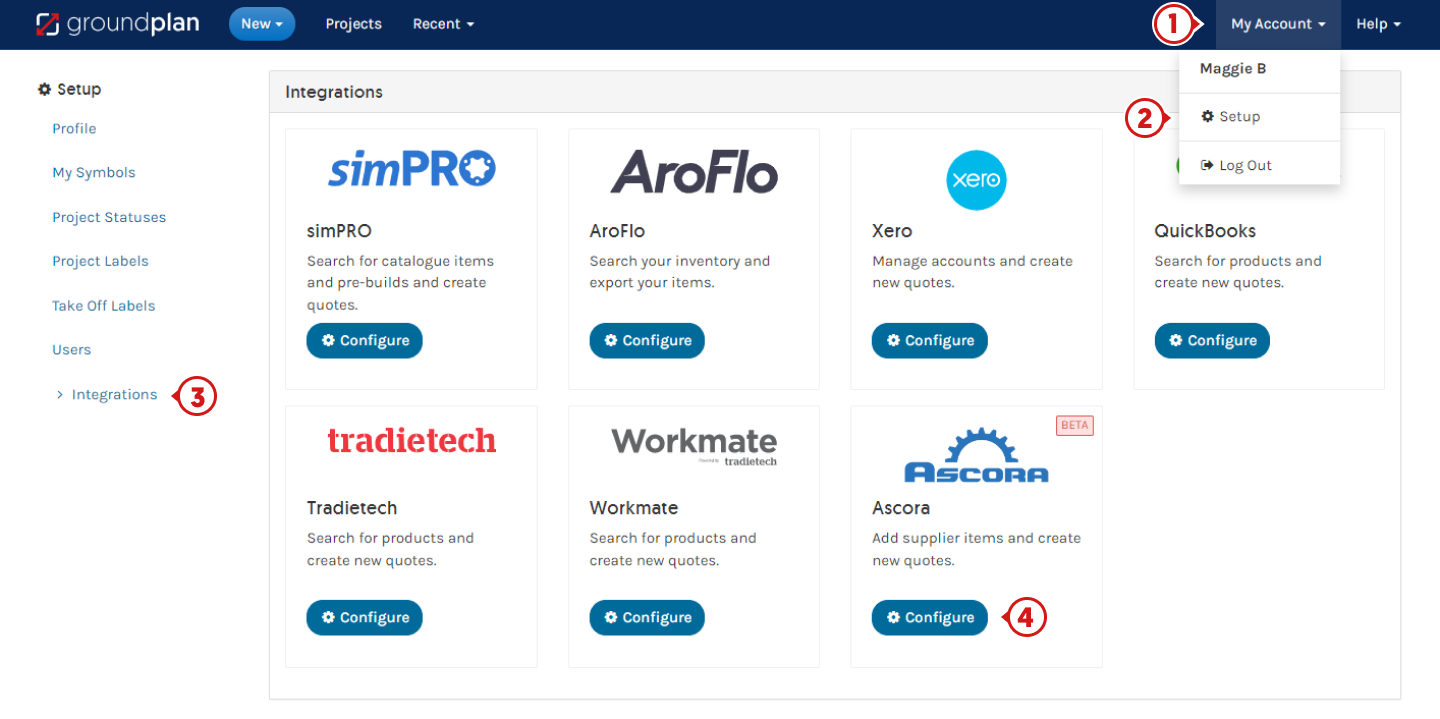
- In Groundplan, click My Account
- Click Setup
- Click Integrations
- Click Configure on the Ascora tile
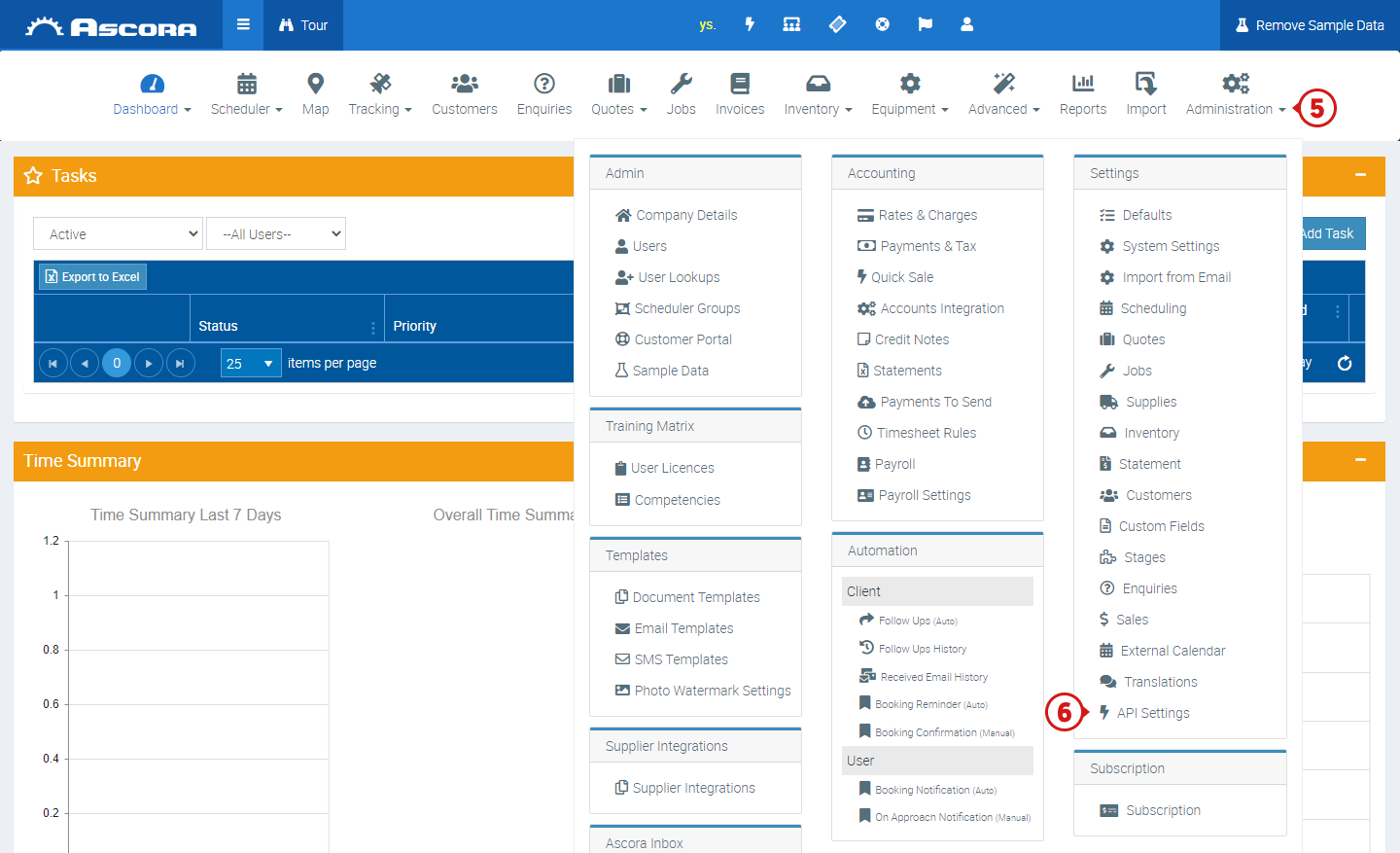
- Within the Ascora Dashboard click Administration Full Administration rights are needed to perform the next steps
- Under Settings click API Settings
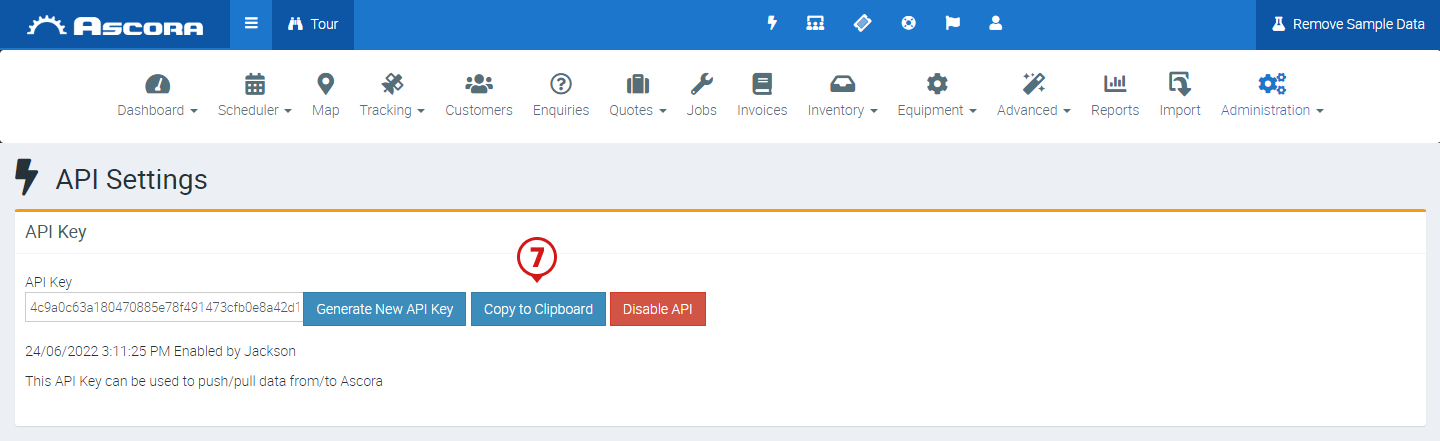
- Click Copy to Clipboard If there is no API, click Generate New API Key first
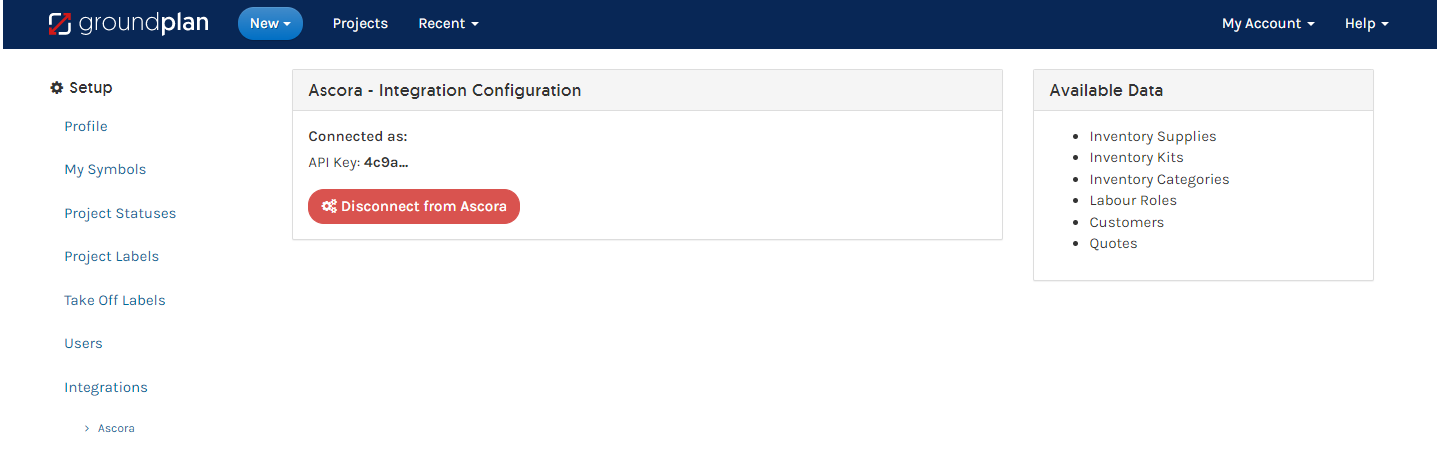
- Return to Groundplan and paste into the API Key field
- Click Connect to Ascora. The Integation is now connected
Sub Pages
Got a question?
Submit an Idea
💡 Go to Ideas Portal
Was this article helpful?
Didn't find what you needed?
Contact support
Contact support