









🔐 Account Locked due to Issue in Processing Monthly Invoice
Your credit card payment for your Ascora monthly subscription is being processed on the invoice date or payment processing date. It is important that there's sufficient balance in your credit card account to cover the monthly payment.
Unsuccessful Payments
If your most recent payment was unsuccessful, once you've updated your credit card details, payment will be automatically re-processed at 12 midnight. Please note that there will be a total of three attempts to process a payment and if all attempts were unsuccessful, your account will be locked until payment is received.
Note: After a successful payment, your account will be automatically unlocked.
How to update Credit Card Details
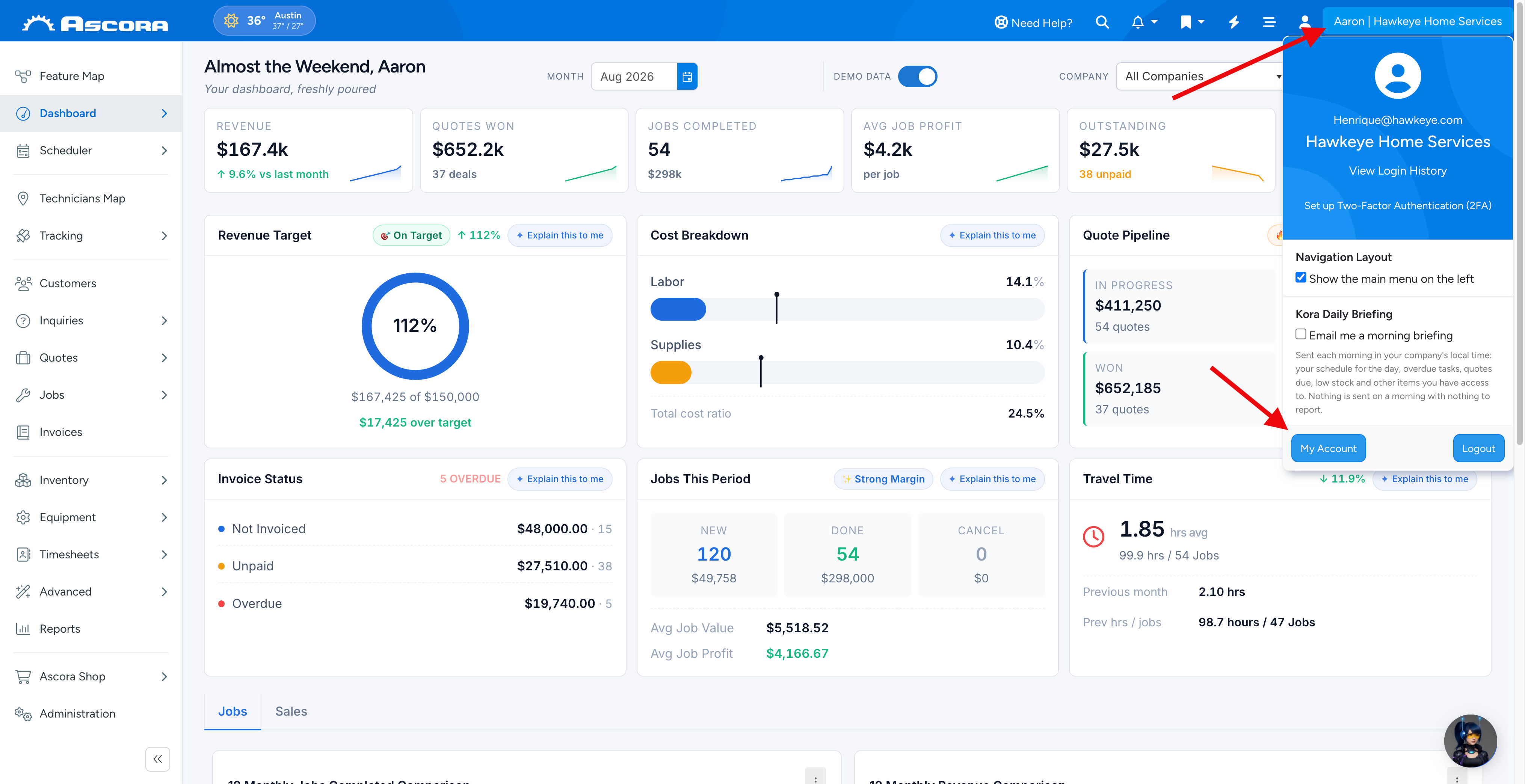
1. Click on your email address located at the top right hand side of the Ascora screen and click My Account.
Note: If you don't have access to this screen, please liaise with your supervisor or manager who has a client admin role.
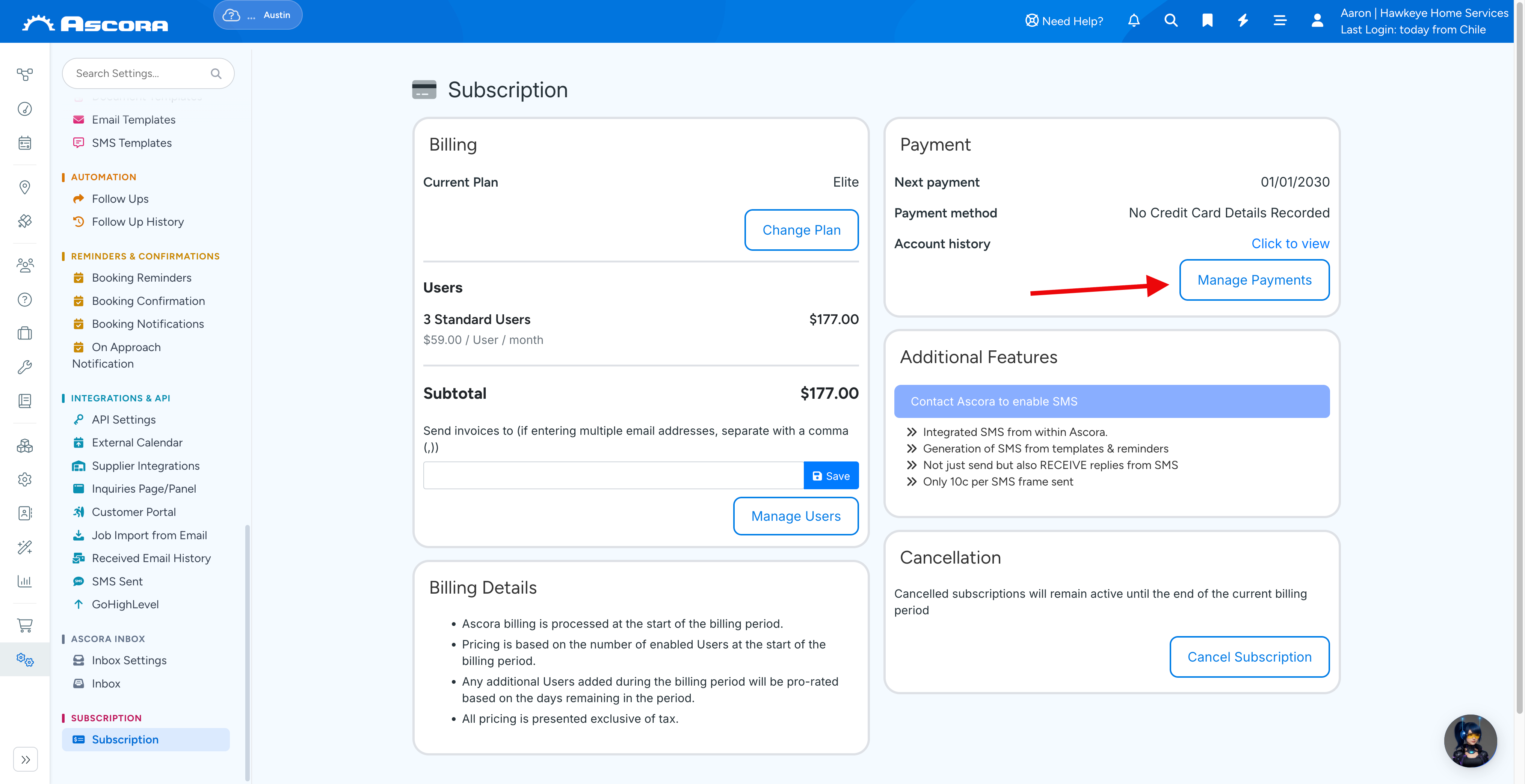
2. Click Manage Payments and enter your credit card details.
ℹ Note: Ascora bills based upon the number of active employees that have Mobile access in the billing Month.
- GST is only applicable for businesses based in Australia.
- The standard Ascora charge includes all credit card processing fees.
- All amounts are billed in Australian Dollars (AUD).
Sub Pages
Got a question?
Submit an Idea
💡 Go to Ideas Portal
Was this article helpful?
Contact support