









Guide
A kit is a bundle of Supplies and labour that you add to a Quote or Job as one line. This article explains how that line behaves once it is on a Quote, Job or Invoice.
It is for office staff and estimators.
How a kit is priced
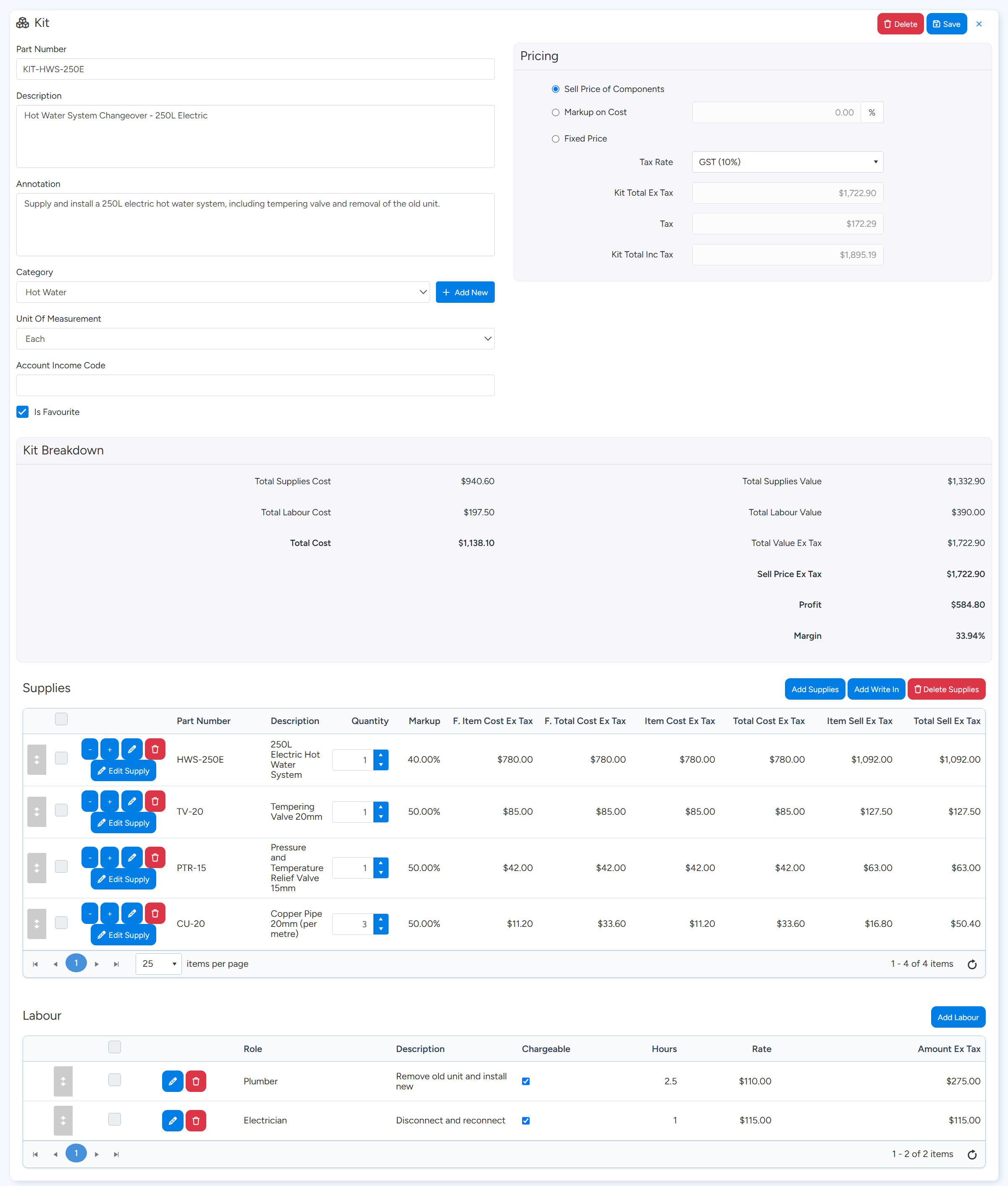
Kits are kept under Inventory > Kits. Each kit's Pricing box has three methods. Sell Price of Components adds up the sell price of its Supplies and labour. Markup on Cost applies one markup to the kit's total cost. Fixed Price is a price you type.
Kit Breakdown underneath shows the kit's cost, value, profit and margin.
A kit on a Job is a copy
When you add a kit to a Quote or Job, its contents and prices are copied onto that line. Later changes to the master kit, or to the price of a Supply in it, do not change Quotes and Jobs that already have the kit.
To bring a line up to current prices, use Recalculate Pricing on the Job's Invoicing tab or the Quote's Supplies tab. It re-prices the Supplies and labour already in the kit line. It does not add or remove contents.
Change a kit on one Job
On the Job's Supplies tab, find the kit line.
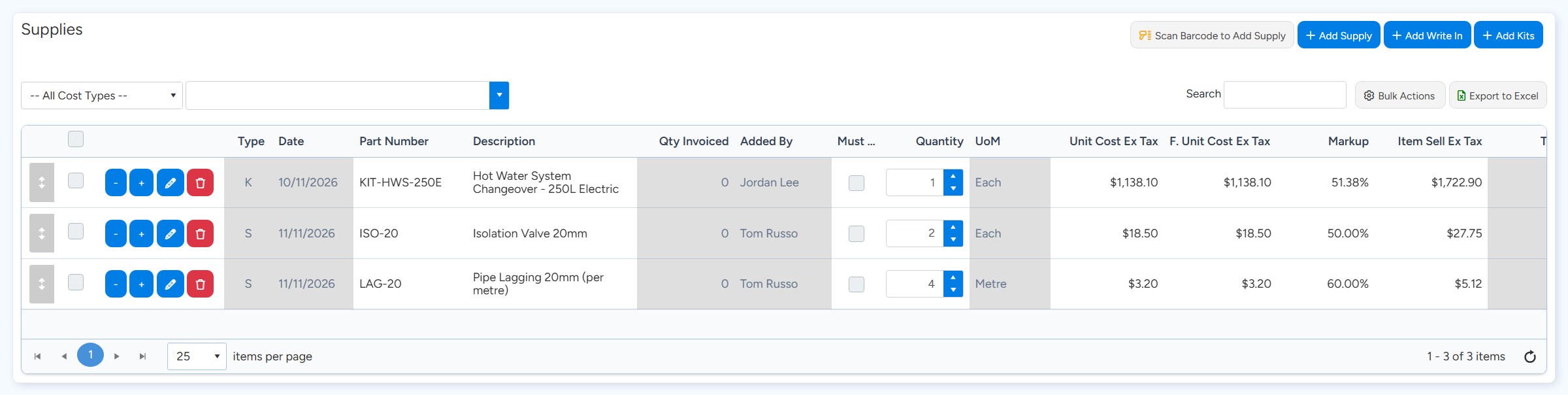
Kit lines have K in the Type column. Supply lines have S.
A kit is one line marked K. Use the pencil on that line to change its contents for this Job only. Sample data. Select the pencil on the kit line.
Change quantities, delete Supplies that were not used, or add others, then save.
Only this Job's copy changes. Save Modified Kit saves your changed version as a new kit in the catalogue.
Labour inside a kit
- Kit labour stays inside the kit line. It is not added as lines on the Labour & Callout tab.
- The kit's whole sell price, labour included, counts in the Job's supplies total.
- The Job's total labour hours do include the hours in its kits.
Invoicing and printing
- A kit is invoiced as one line. You can invoice part of the quantity. There is no setting to invoice its Supplies and labour as separate lines.
- A kit has no setting of its own for how it prints. It prints as one line on documents.
- To show a kit's contents on a Quote, the Quote template can use the kit detail fields, or use Export Quote - Kits Exploded.
- To print each kit as its separate Supplies and labour on Job documents, tick Explode Job Kits into Supplies and Labour in Job Settings.
Optional kits on a Quote
On a Quote's Supplies tab, a kit line can be marked Optional and placed in a Group. Groups are set up on the Quote's Options & Deposit tab. An optional kit counts in the Quote's total, and prints with the main lines, only once it has been selected.
Common questions
I changed a kit's price. Why did my open Quotes not change?
Kits on Quotes and Jobs are copies. Use Recalculate Pricing on each one that should take the new prices.
Can field staff see what is in a kit?
That is controlled by the permission Can view the details of Kits in Jobs and Quotes.
Can I set a kit quantity to zero instead of deleting it?
Yes. The line stays on the Job with a quantity of zero.