









🔂 Payments from my Accounting Package are not coming back to Ascora
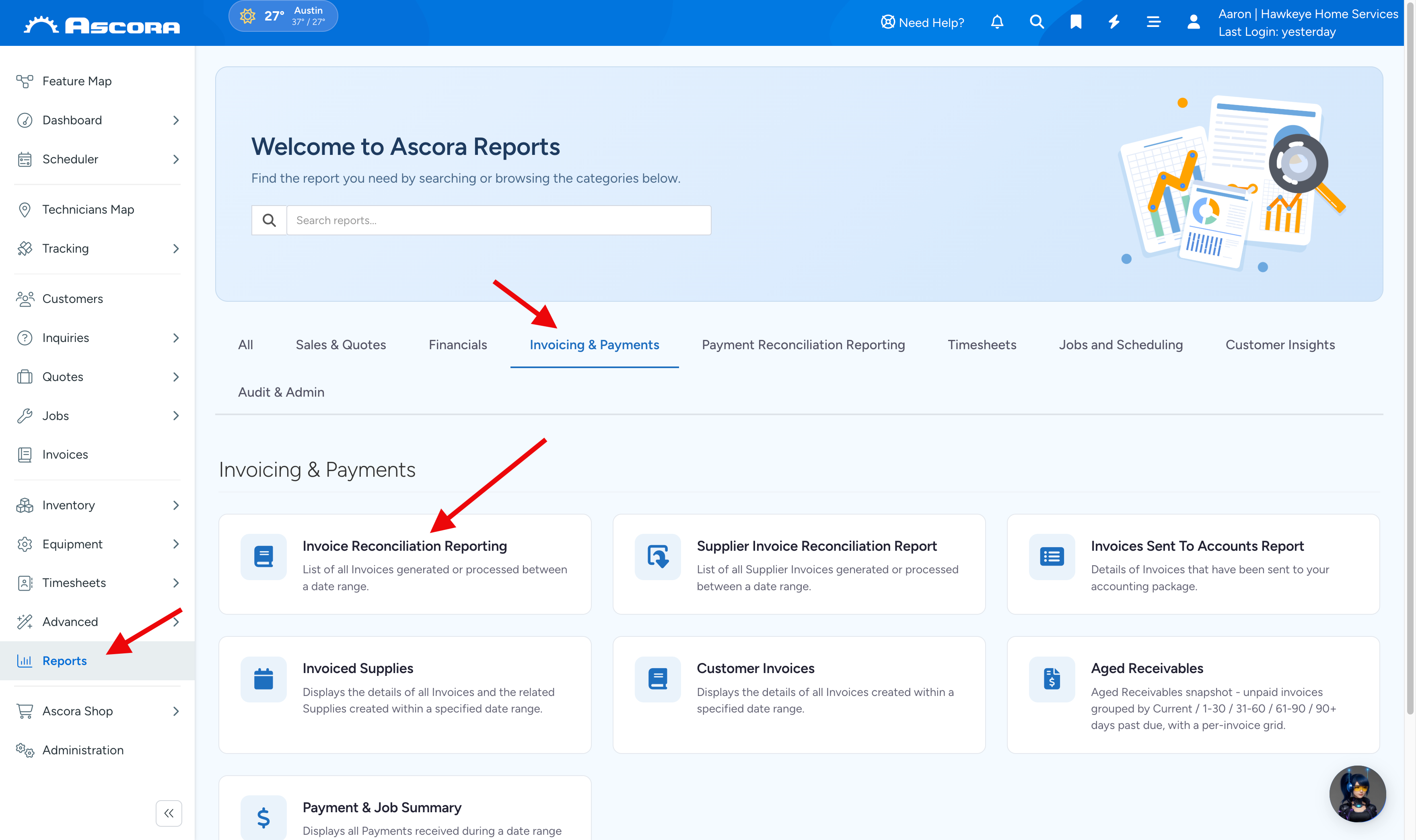
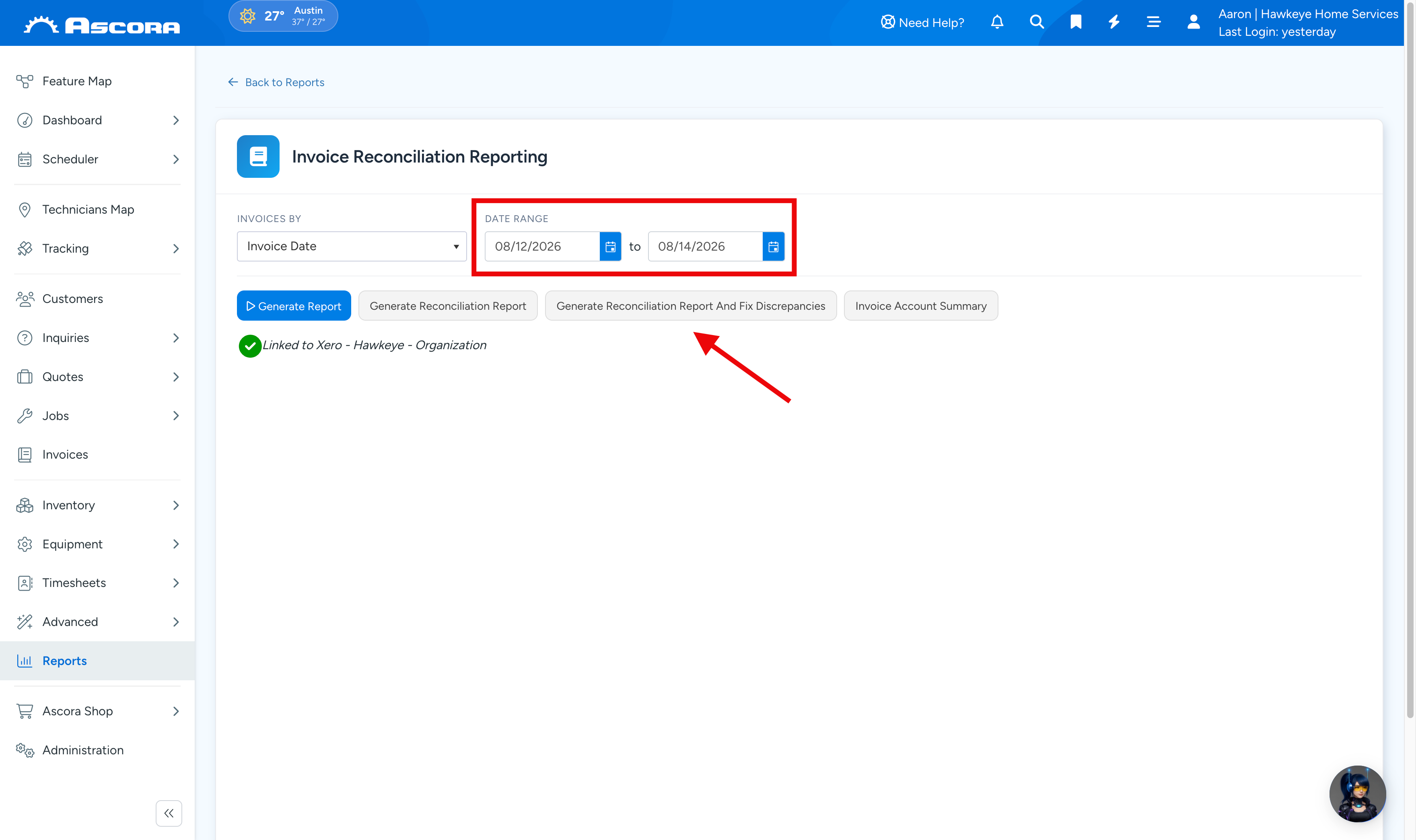
1. Go to the Reports → Invoice Reconciliation Reporting → enter the Date Range and click Generate Reconciliation Report and Fix Discrepancies.
Note: Very important – Please do not select date range for more than 1 week as it will slow down the system tremendously!
2. Wait for the Excel file to be generated and open it to access the report details.

Note: This should automatically fix discrepancies so your payments will now appear in Ascora but you can check the report file to verify.
3. Click on the first tab called Ascora Invoice Report and check if the there are any discrepancies.
Amount in red are discrepancies.

If after following the above steps, payments are still not pushed across, please contact Ascora support for assistance or send an email to support@ascora.com.au.
Got a question?
Submit an Idea
💡 Go to Ideas Portal
Was this article helpful?
Contact support